










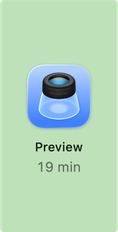


Daily Statistics · Jun 30
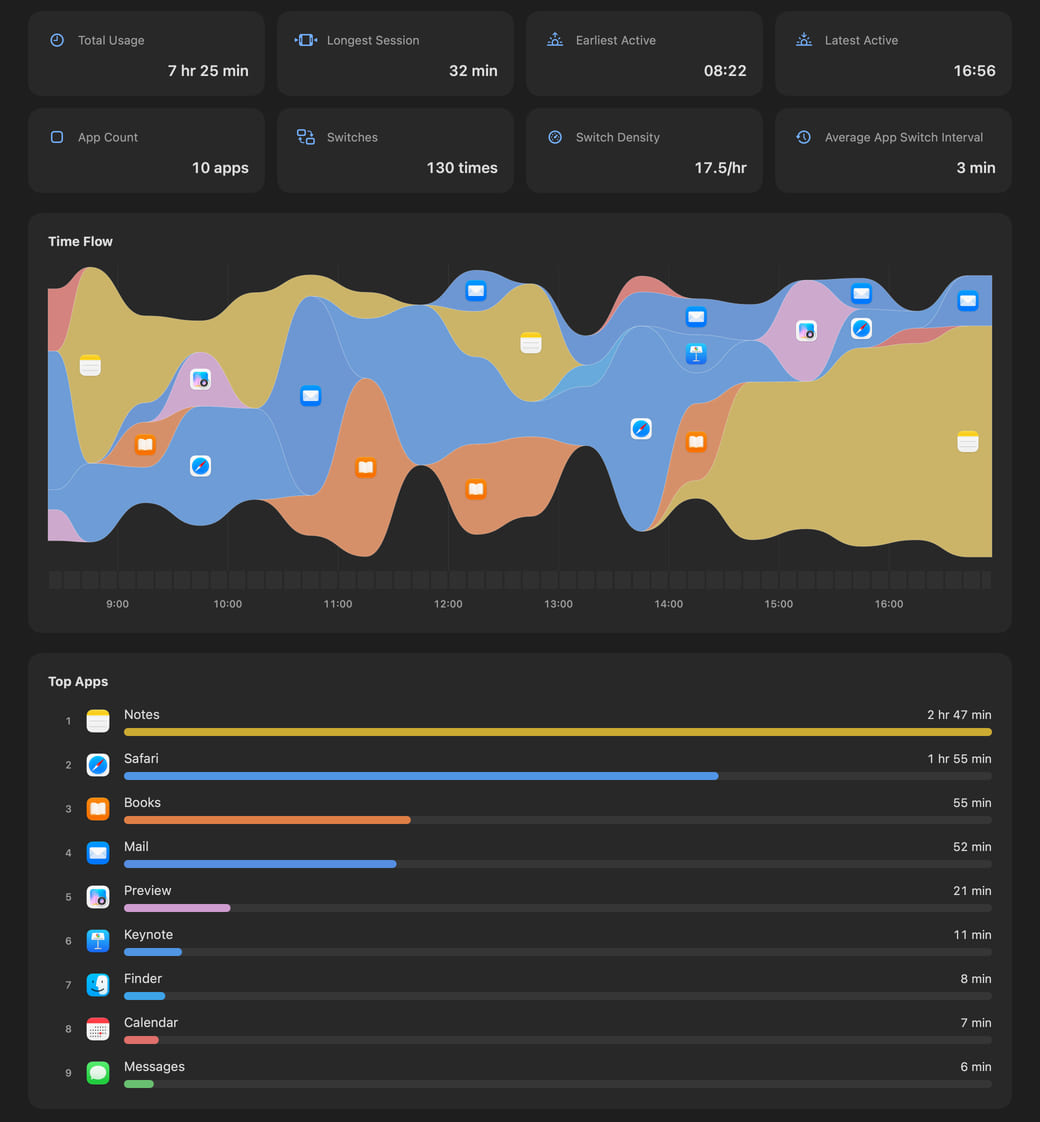
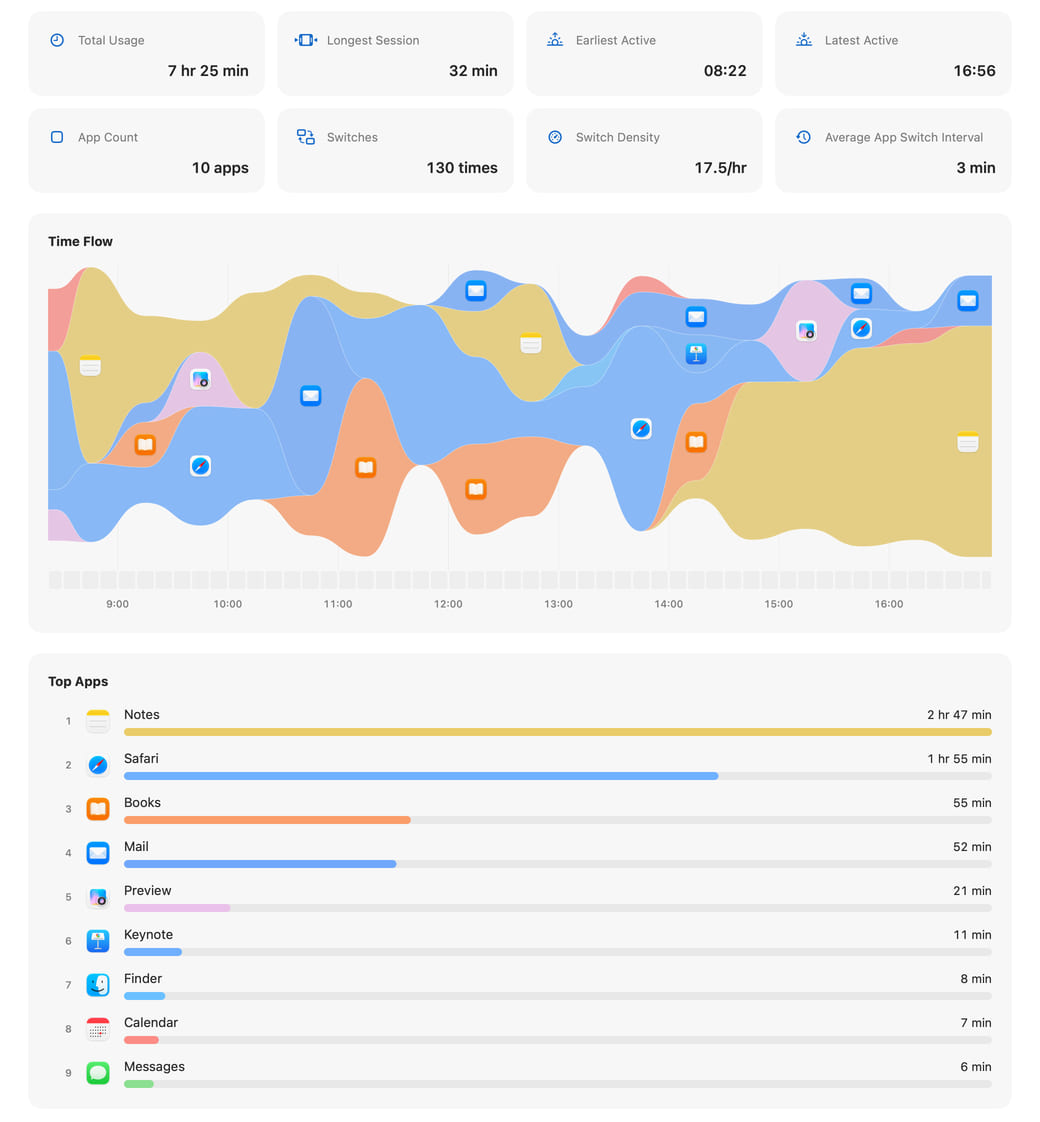
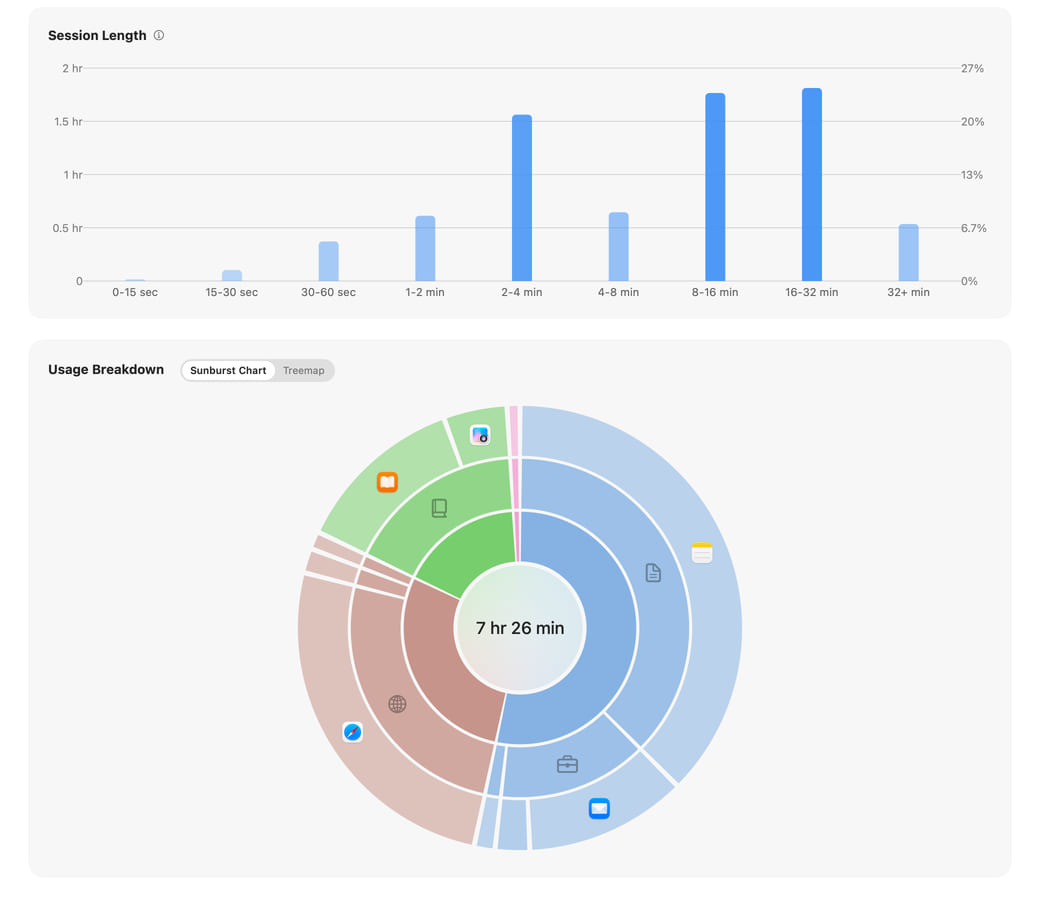

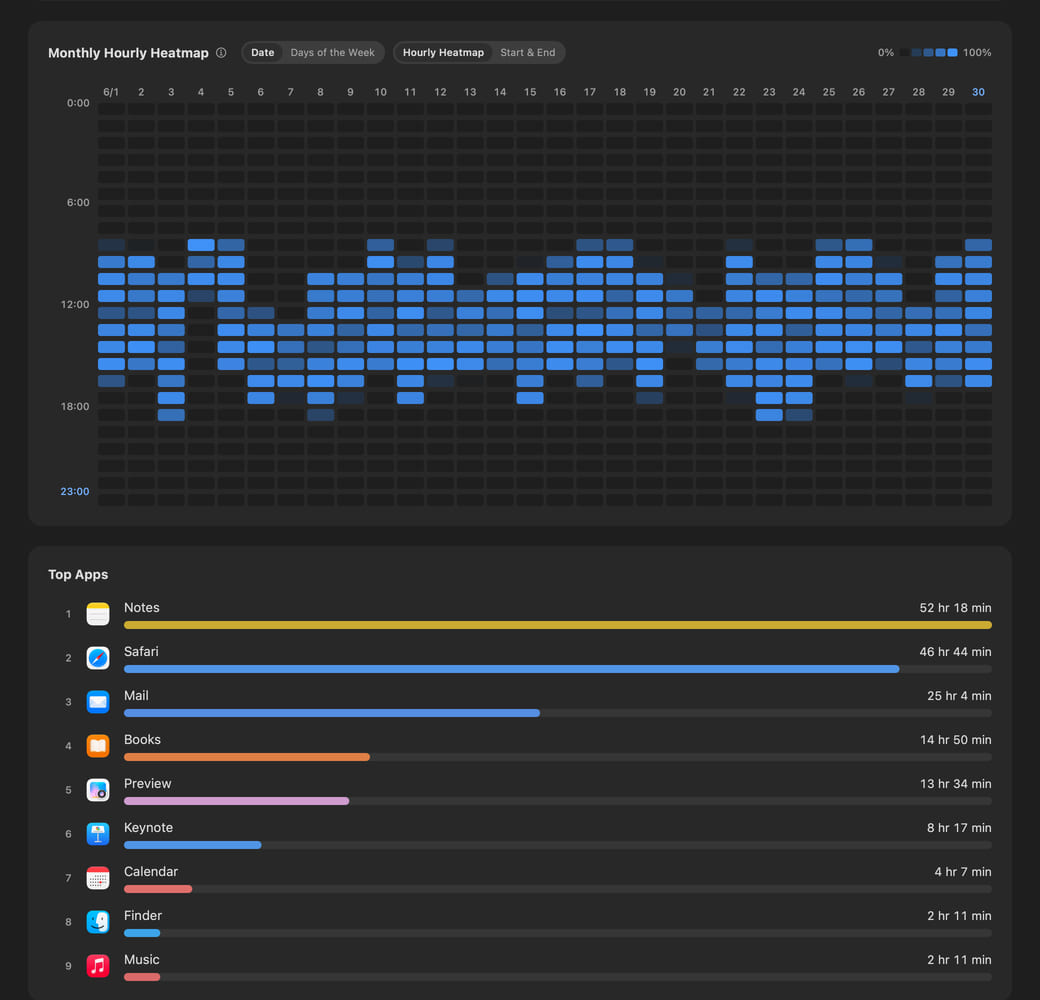
Hikage records app and website activity locally, so you can review your usage timeline at a glance.
Start a one-month full-feature trial—no sign-up or payment method required.v0.8.8 · macOS 14+
Within the access you allow, Hikage automatically records app and website activity on your Mac, then uses keyboard and mouse activity, playback activity, and sleep state to determine your actual screen time. Activity records are stored only on this Mac by default.
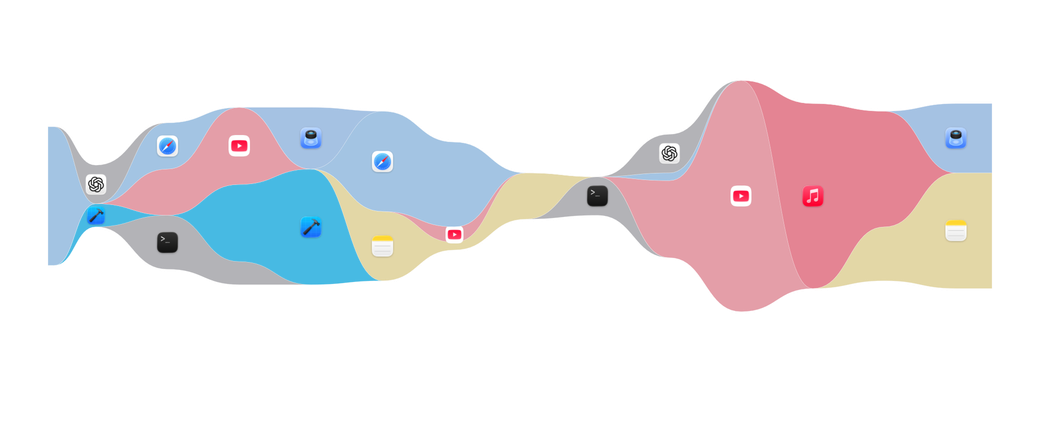
The app stream reconstructs the real flow of context across your day.
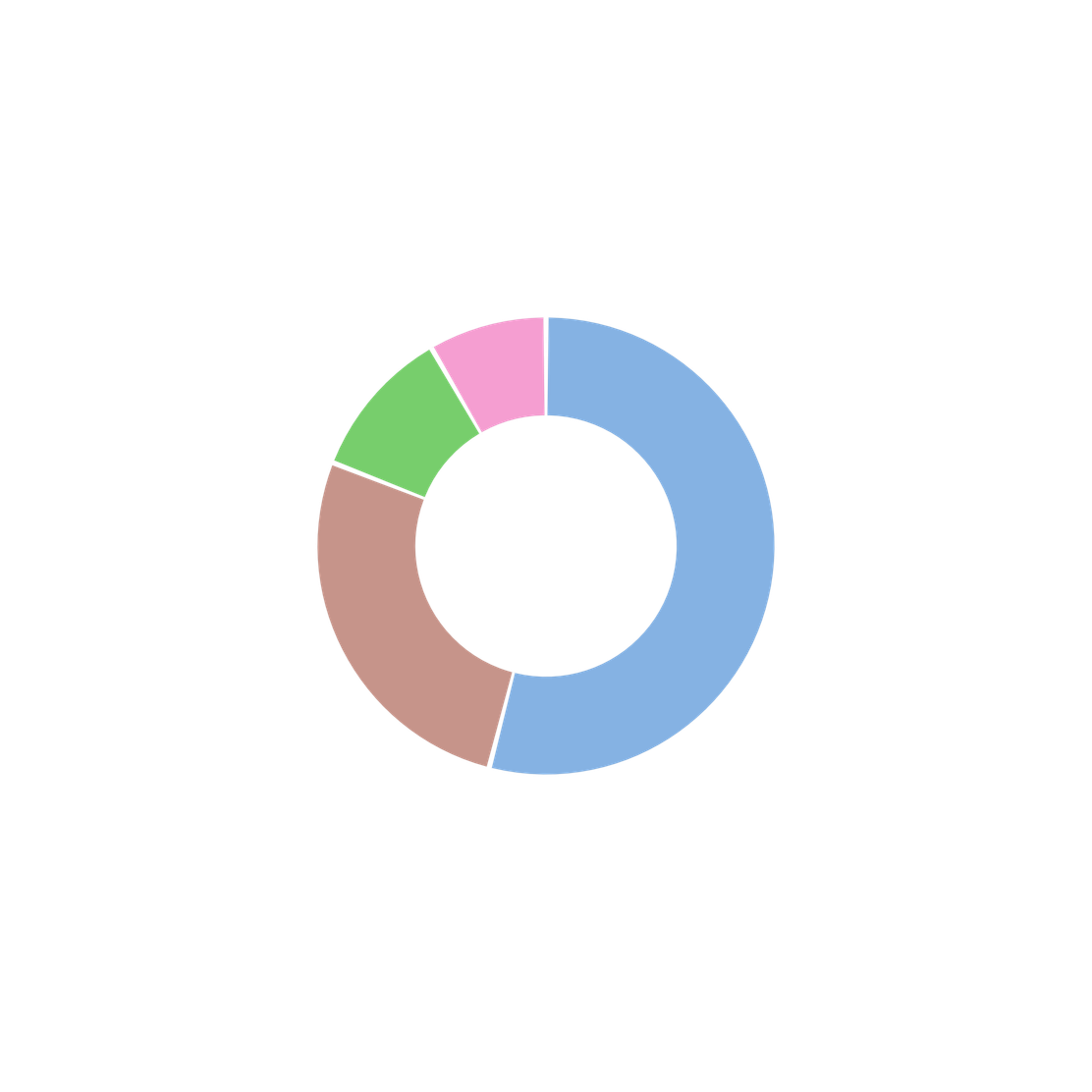
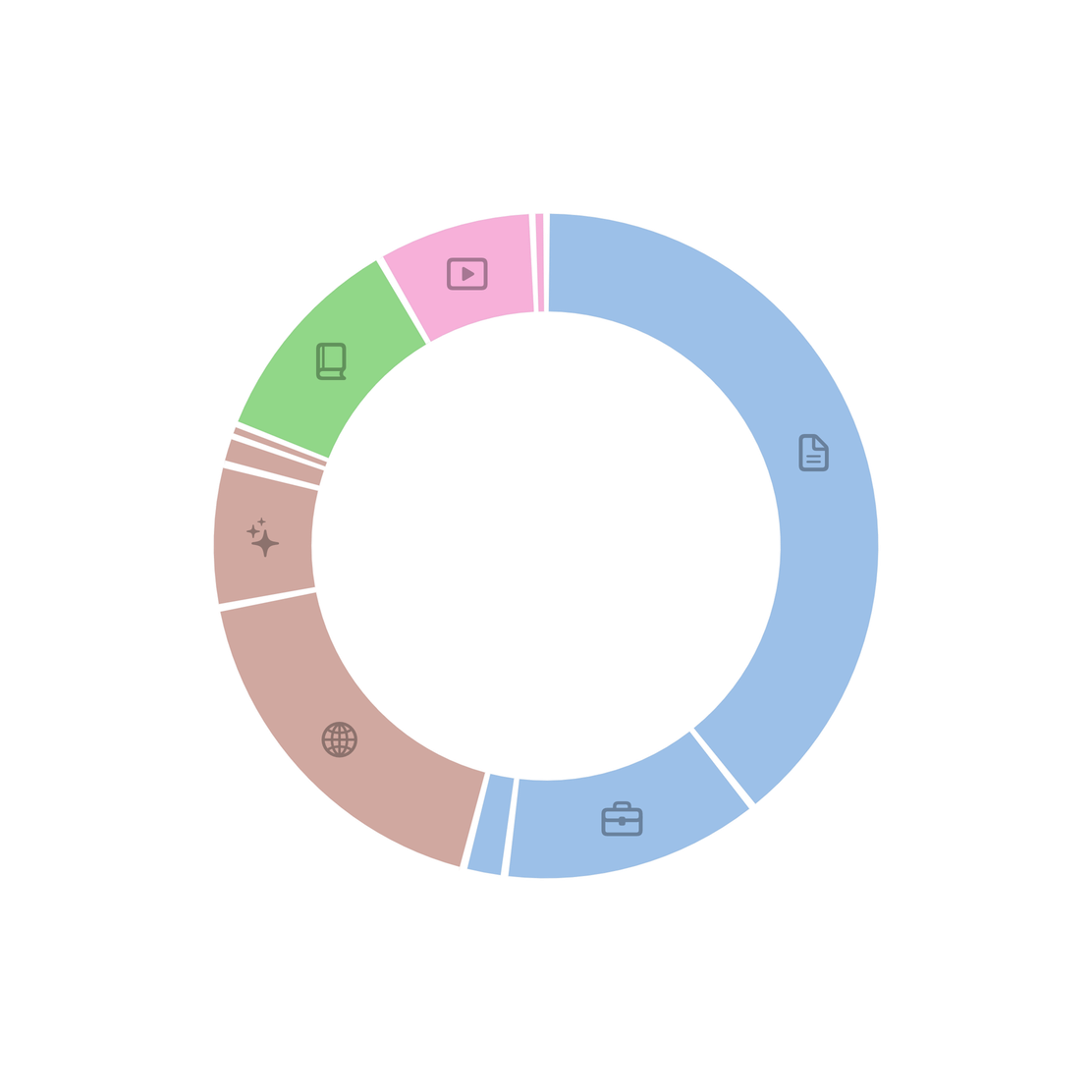
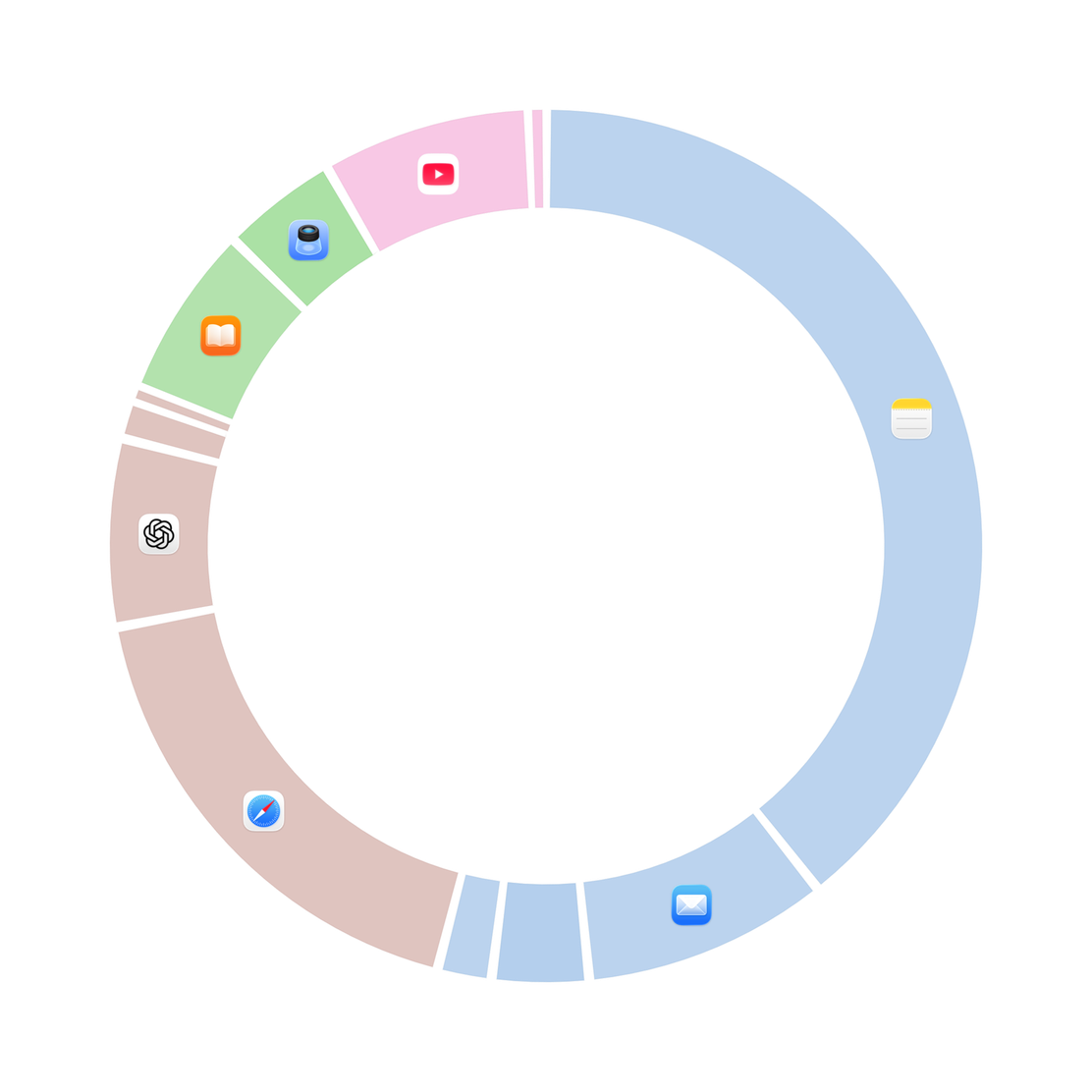
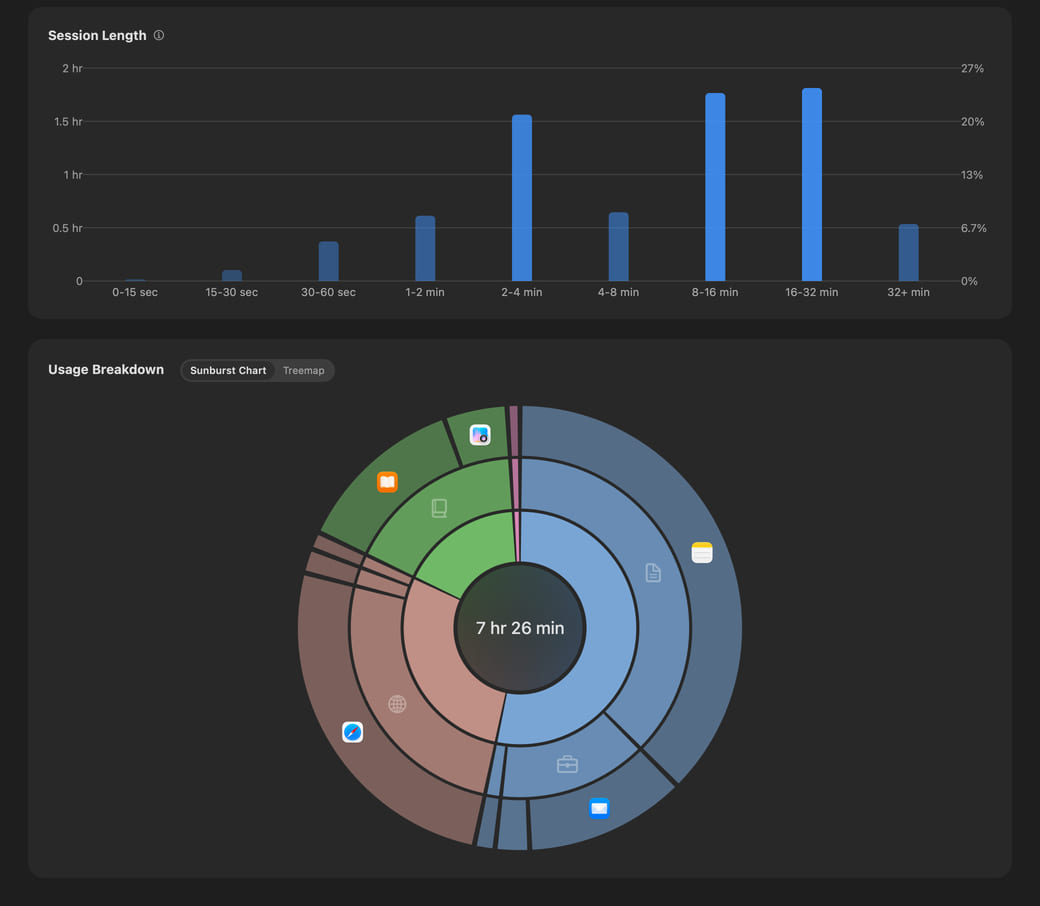
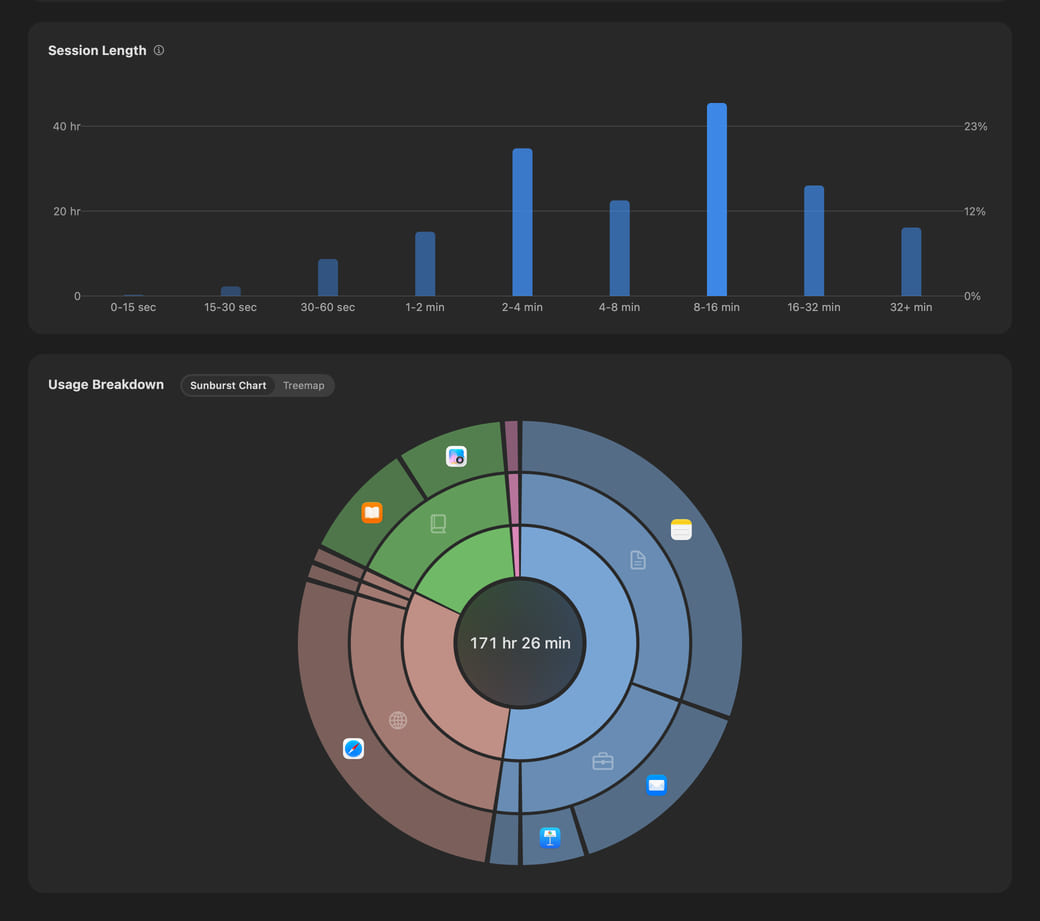
The sunburst and treemap show each app’s share of usage.
Scroll vertically to browse the full page
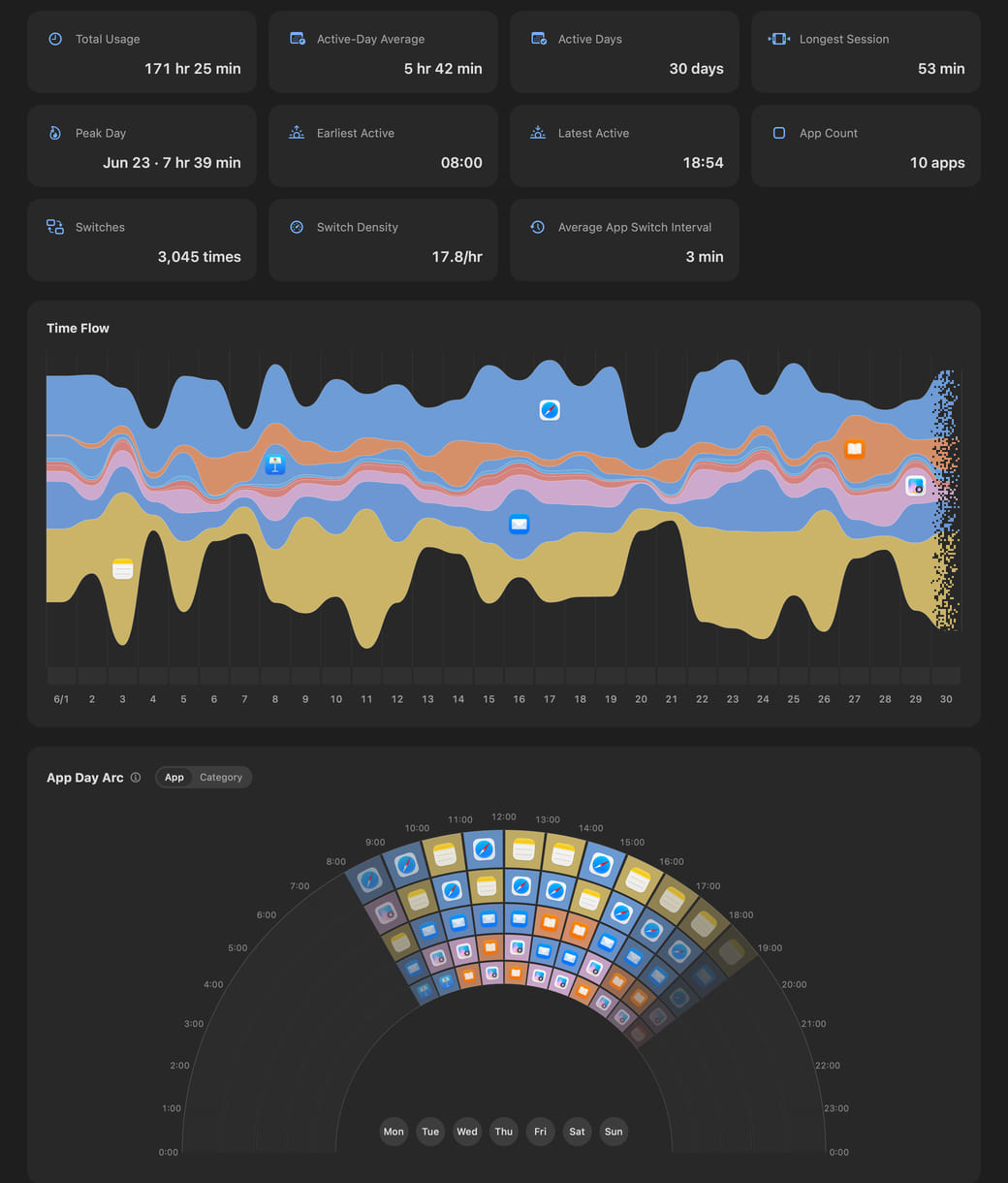
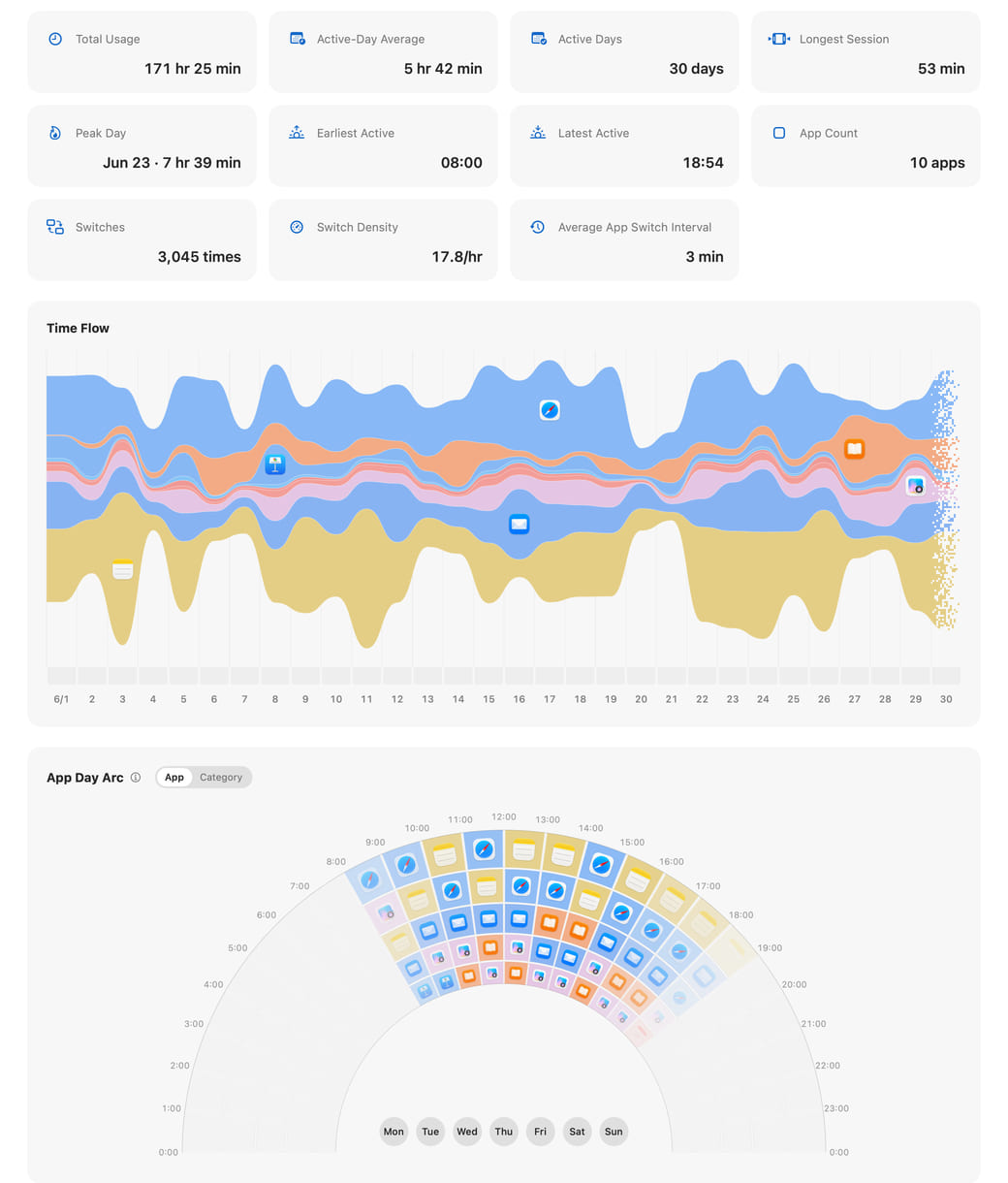
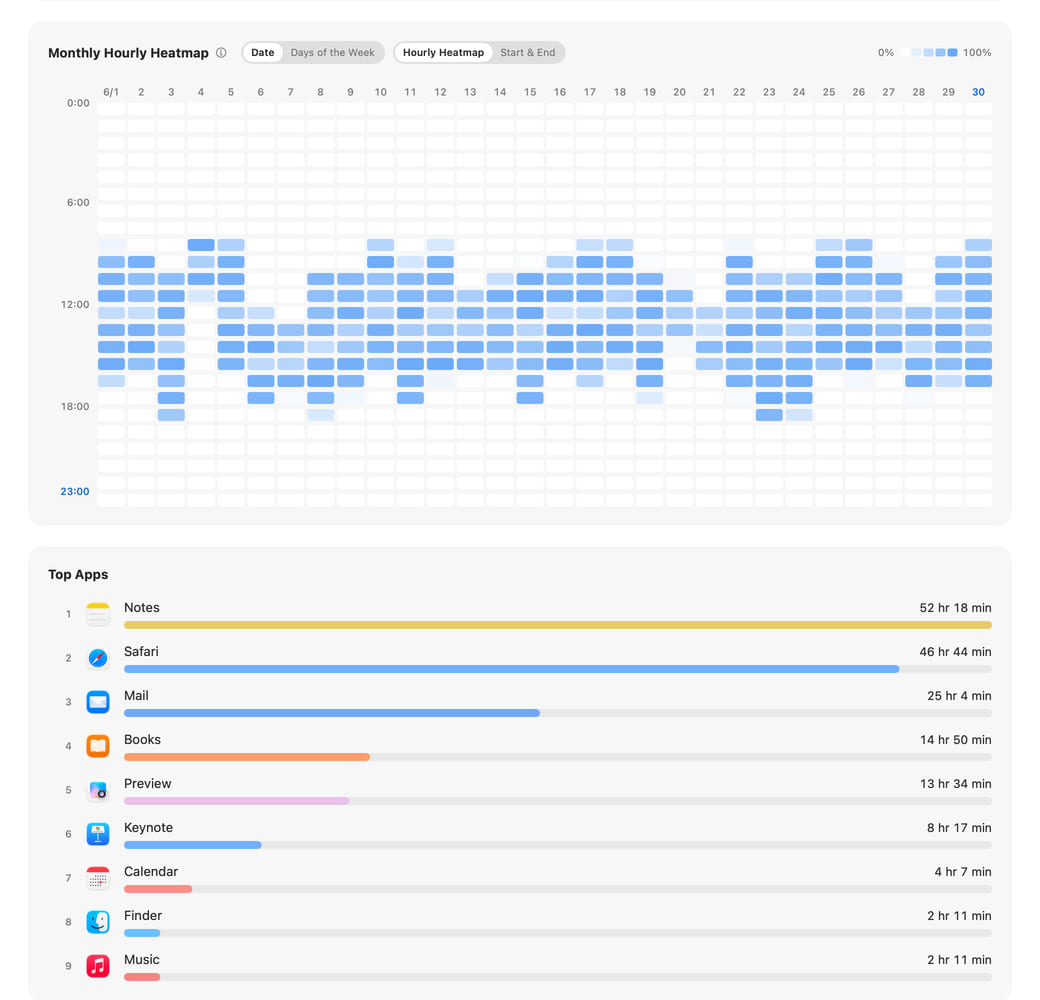
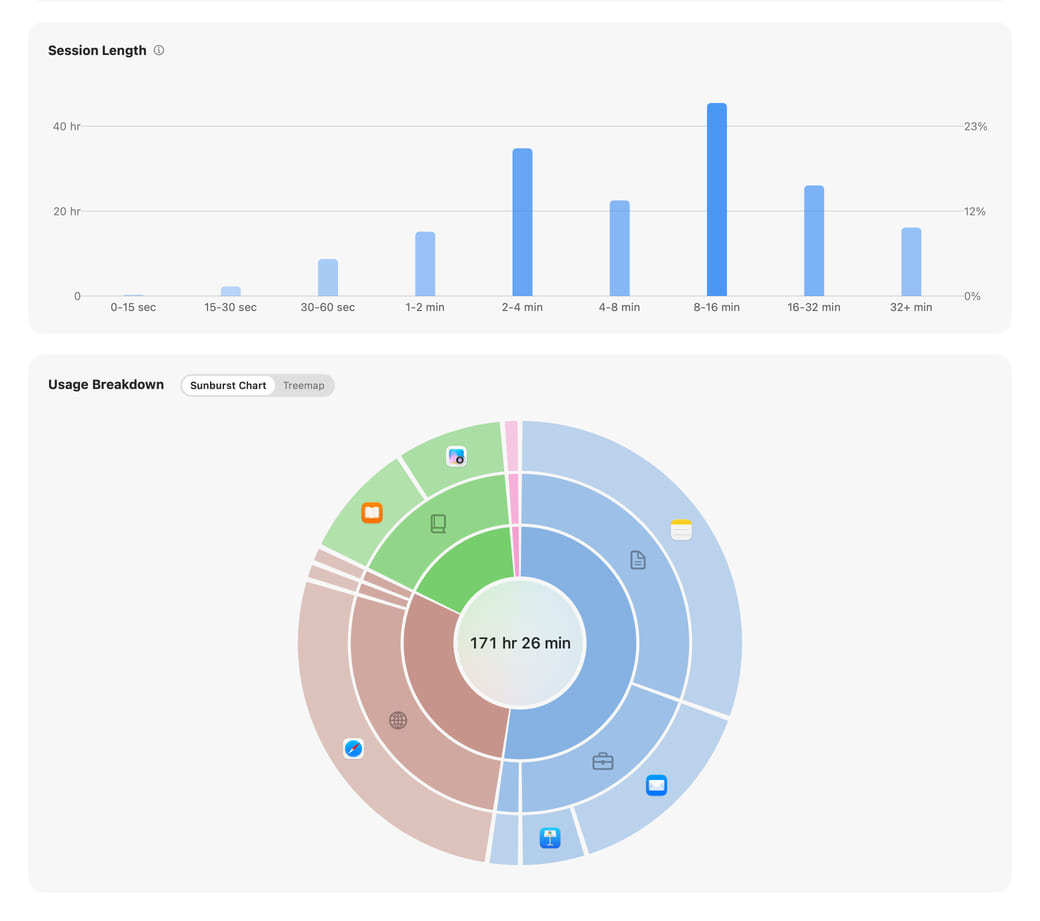
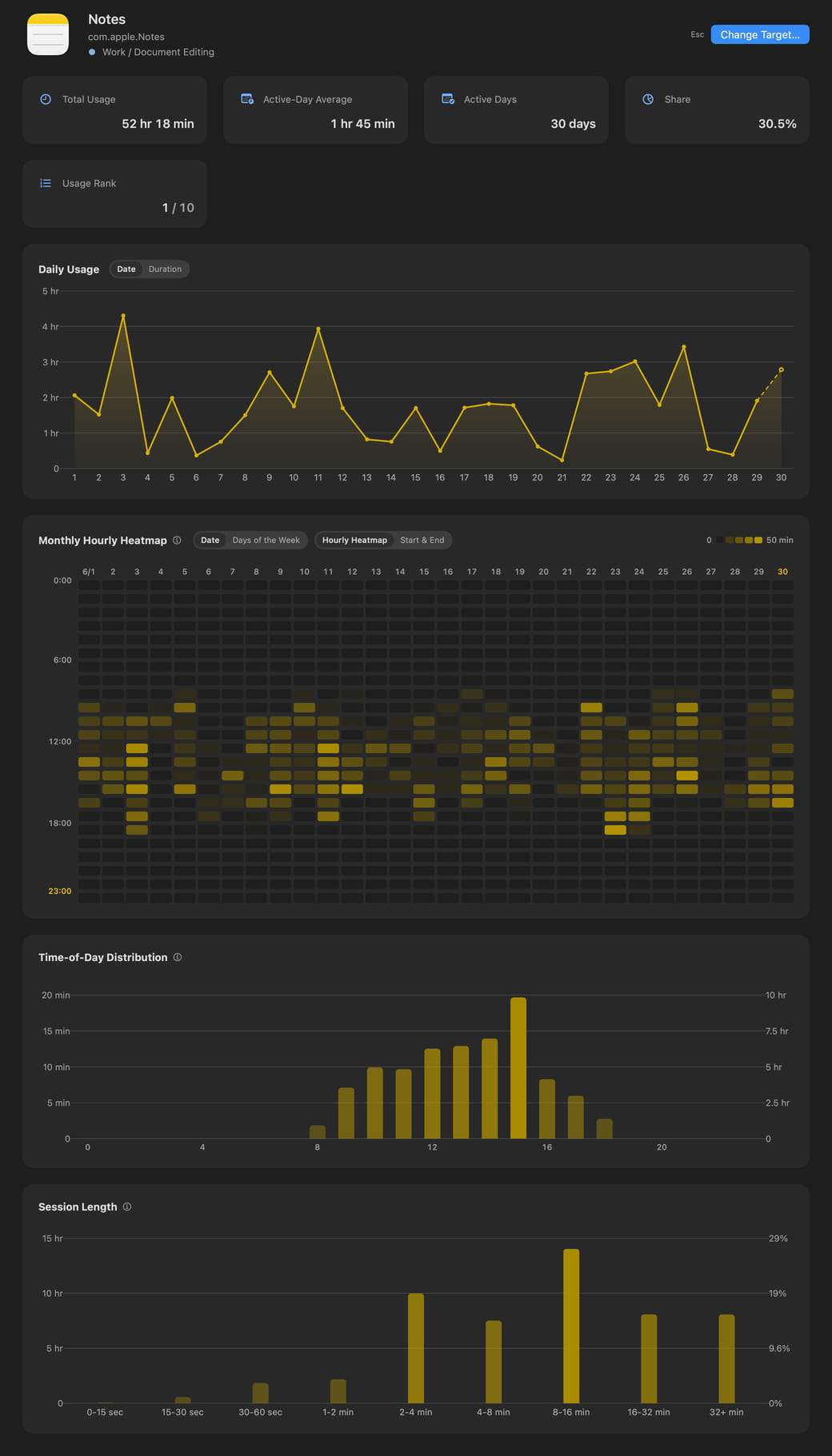
Hikage combines switch counts with each app’s share of those switches in an intuitive relationship graph.
Hikage uses your activity records and specified rules to generate calendar event candidates, then writes them to Apple Calendar with your permission so you can revisit how you spent your time.
Hikage can use your activity records to remind you when a focus session ends, it is time to stand, or a time limit is reached, helping you live a healthier, more self-directed life.
While you continue the same activity, Hikage can remind you at your chosen interval to notice the passage of time.
Since 14:00, you have used 
Hikage values your privacy. Activity records are stored only locally by default, and content unrelated to statistics is not recorded.
Hikage automatically records app switches in the background, with no manual timing needed.
Hikage combines keyboard and mouse activity with playback status to determine whether you are actually using your Mac.
Supports major browsers, including Safari, Google Chrome, Chromium, Microsoft Edge, Brave, Opera, Arc, and Firefox.
Hikage automatically categorizes apps. If the categories do not suit you, you can adjust them by creating categories and subcategories or changing an app’s category.
Merge multiple apps or websites into one statistics item so they appear as a single item.
Add apps or websites you do not want included in your statistics to the exclusion list.
Freely reorder charts on your statistics pages, put the ones you care about most first, or hide charts you do not want to see.
Set when your day starts to suit your routine, counting activity in the hours after midnight toward the previous day.
Supports 12-hour and 24-hour time, as well as an extended-hour format that can display 1 AM as 25:00.
Hikage is a native macOS app with light and dark appearances that works well with the menu bar and Apple Calendar.
Back up to iCloud or choose your own backup location.
The activity data recorded by Hikage is easy to view and export.
 YouTube
 GitHub